












Behöver du hjälp?
Sök efter svar med hjälp av sökrutan nedan.
-
Om
-
Installation
-
Användargränssnitt
-
CAD CAM
-
-
Bochu HMI
-
Anteckningar om programvaruversion
Alla ämnen
Pre-Bending
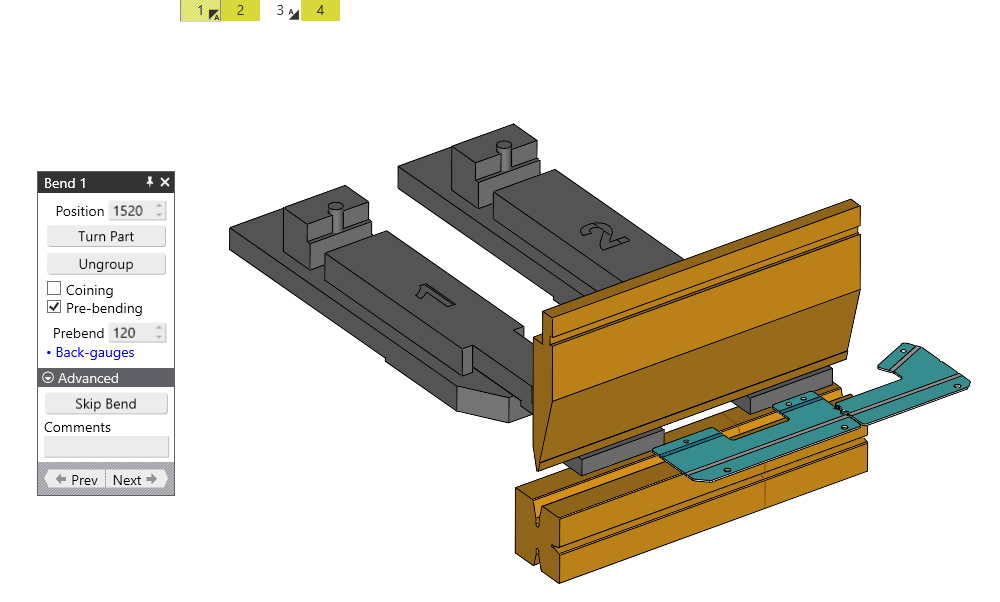
Pre-bending can be applied to a specific bend to help avoid a collision, which can be activated by firstly clicking to select the bend in the bend status bar and then clicking to check the box marked Pre-bending at which point you can set the pre-bend angle, as the Pre-bending is enabled you will see another bend it automatically added to the bend status bar which will be used to finish the bend as a separate operation.
Innehållsförteckning