












Need Some Help?
Search for answers using the search box below.
-
About
-
Installation
-
User Interface
-
CAD CAM
-
-
Bochu HMI
-
Software Release Notes
< All Topics
Positioning a Bend
Often, it is easier to drag a bend into the required position, rather than try and enter the exact coordinates. To do this ensure the bend editing panel is open (by clicking twice on the bend number) and then click on the part near the bend line and start dragging the part left/right.
Depending on where the part is being held (near the center of the bend line, or the left/right edges), the software will generate automatic snap lines that help position the bend precisely concerning a tool station. The image below shows a bend being dragged by holding it near the center of the tool load.
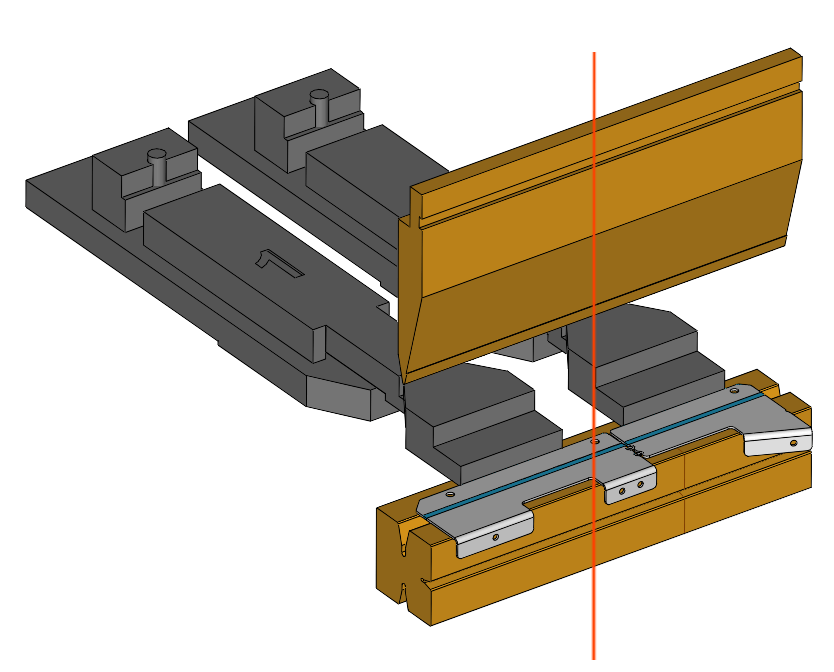
Table of Contents